

Most teams start hunting for Sprout Social alternatives the moment they do the seat math: Standard runs $199 per user per month, and the bill climbs every time someone new needs a login (pricing as of August 2026). Sprout is a strong platform, but per-seat pricing, gated social listening, and annual terms push plenty of teams to look for something that fits their budget and the way they actually work.
This guide leads with price and names each tool’s real limitation, so you can pick fast. The split that matters: most options here are schedulers built to publish, listen, and report, while one is a creator platform built to turn social into measurable revenue. Which job you’re solving decides which tool wins.
The 6 Best Sprout Social Alternatives at a Glance
Here’s the shortlist, with a starting price and one honest limitation for each. Verify each price against the tool’s live pricing page before you commit, since these move.
| Tool | Best for | Starting price | Limitations |
|---|---|---|---|
| Buffer | Lightweight scheduling for solo creators and small teams | Free; $5 per channel/mo (annual) | No social listening or unified inbox; per-channel cost scales with accounts |
| Hootsuite | Broad multi-network management with add-on listening | From $99 per seat/mo | Per-seat pricing climbs fast; no free plan; social listening costs extra |
| Zoho Social | Budget-friendly swap, strong for Zoho CRM users | Free; $15/mo ($10 annual) | Metered per brand and seat; inbox and deeper analytics gated to higher tiers |
| Later | Visual, Instagram-first content planning | Free (limited); from $25/mo | Thinner on listening and multi-network depth |
| Sprinklr | Enterprise-scale social and customer experience | Custom quote (self-serve about $199 to $299 per seat/mo being retired) | Opaque pricing, high annual minimums, heavy to implement |
| Upfluence | Creator-led and affiliate-driven social | Custom quote | Built for influencer and affiliate programs, not a like-for-like scheduler |
Prices verified against each vendor’s pricing page in August 2026.
What Sprout Social Does Well
Before the switch case, credit where it’s due. Sprout Social is a polished, full-suite platform, and for some teams it’s the right call to stay.
Its unified Smart Inbox pulls messages, comments, and reviews across networks into one queue. Its analytics and reporting are deep and presentation-ready, which matters when you’re briefing executives. And its social listening, on the higher tiers, covers sentiment and brand monitoring at a level most cheaper tools don’t touch.
The team that should probably stay: enterprises already using the full Sprout suite, with the budget to run it across many seats and the workflows built around it. If you’re paying for listening, customer care, and advanced analytics and actually using all three, a cheaper swap will feel like a downgrade.

Sprout Social Pricing and Why Teams Switch
Sprout Social (the scheduler) starts at $79 per seat per month for Essentials and jumps to $199 for Standard, $299 for Professional, and $399 for Advanced, with Enterprise custom-quoted (billed annually, as of the August 2026 comparison). A 30-day free trial is available with no credit card required. Verify these figures against Sprout’s current pricing and feature pages before you commit, since both move.
Keep two products separate when you compare. Sprout Social (the scheduler) is the social management and listening suite priced above. Sprout’s influencer product (Tagger) is a different line, and the client competitive intel behind this comparison puts its seats at around $499 per month. If your reason for leaving is influencer and affiliate work rather than publishing, the Tagger side is the relevant comparison, and it carries a different set of tradeoffs.
The per-seat model is where the scheduler stings. Every login is another full seat at the same rate, so a five-person team on Standard is close to $12,000 a year before add-ons. On top of that, the features many teams actually want, social listening and sentiment analysis, sit on higher tiers or cost extra.
On the influencer side, a handful of gaps are worth verifying against Sprout’s current documentation before you decide. As of this comparison: Sprout is expensive and has been unwilling to offer shorter terms; bulk creator payments are not supported; creator payments run through PayPal; affiliate tracking is not native and is handled through a third party called TUNE; and CSV exports are not available. Each of these is client-supplied intel to confirm on Sprout’s live pages, since features change.
A handful of factors decide most switches:
- Price and seat math. Per-seat billing means your cost scales with headcount, not usage.
- Channels. How many networks and accounts you run changes which pricing model is cheapest for you.
- Social listening. If monitoring is core to your work, check which tier includes it and what it covers.
- Unified inbox. Engagement-heavy teams live in the inbox, so its depth is worth testing on a trial.
- Team seats. A tool that charges per channel or per brand, rather than per seat, can flip the math for a small team.
Annual commitment isn’t the deciding factor here. Annual billing is the industry standard across this category, so treat it as table stakes rather than a strike against any one tool.
Ready to see what creator-led social looks like on a platform built to drive revenue? Get Started.
The 6 Best Sprout Social Alternatives
Each tool below fits a different reason for leaving Sprout. Match the pick to your job, not to brand size.
Upfluence
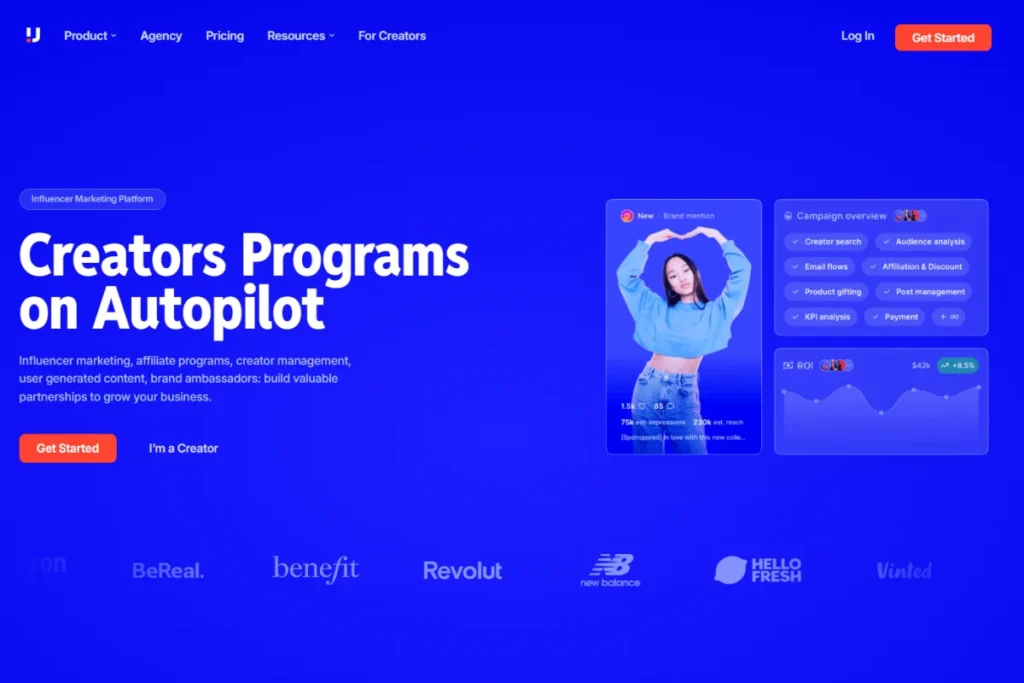
If your social is really about creators driving sales, Upfluence is a different kind of alternative. It isn’t a like-for-like scheduler. It’s a creator and affiliate marketing platform that finds, activates, tracks, and pays creators, and ties their posts to revenue. Full details are in the dedicated section below.
Starting price: custom quote.
Buffer
If you’re leaving Sprout mainly to cut cost, Buffer is the cleanest landing spot for solo creators and small teams. Its free plan covers three channels with basic scheduling, and paid plans start at $5 per channel per month on annual billing (as of August 2026). The standout is simplicity: the calendar and queue are the clearest in the category. The trade-off is scope. There’s no social listening and no unified inbox, and because you pay per channel, the bill grows as you add accounts.
Hootsuite
Hootsuite is the broad, multi-network manager for teams that want scheduling, a unified inbox, and analytics in one place. Pricing starts at $99 per user per month, with no free plan and a 30-day trial (as of August 2026). Its standout is breadth: wide network support and a large integration library. The watch-out is the same per-seat problem that sends people looking in the first place, plus social listening that costs extra on top of the base plan.
Zoho Social
Zoho Social is the budget-friendly swap, and it’s strongest if you already run the Zoho stack. There’s a free plan, and paid tiers start at $15 per month ($10 billed annually) as of August 2026, with tight CRM integration for Zoho users. The catch is the metering: plans are priced per brand and per seat, and the social inbox plus deeper analytics sit on higher tiers, so a “cheap” entry price can climb once you add a second brand or teammate.
Later
Later is the visual, Instagram-first planner, and it’s a natural pick if your program lives on Instagram and TikTok. It has a limited free plan, with paid plans from $25 per month ($18.75 billed annually) as of August 2026. On the common “sprout social vs later” question, the honest read is that Later wins on visual planning and simplicity but is thinner on social listening and multi-network depth, so it suits content-led teams more than monitoring-heavy ones.
Sprinklr
Sprinklr is the enterprise-scale option, built for large organizations running social alongside customer experience across many channels. Its self-serve plans, historically around $199 to $299 per seat per month, are being retired, with self-serve access ending in 2026, so most buyers now go through a custom enterprise quote (as of August 2026). The standout is depth: listening, governance, and channel coverage at a scale few match. The trade-offs are opaque pricing, high annual minimums, and an implementation that can take months.
Sprout Social Alternatives by Use Case
Same tools, sorted by what you actually need. Sprout tries to do three jobs at once: social management, social listening, and influencer marketing. That breadth is a strength, and it also means the right alternative depends on which of those jobs is yours. Three lanes cover most buyers:
- Sprout feels too costly and you mainly need social management or social listening. Cheaper schedulers like Zoho Social carry the load, and if you also want a lower-priced influencer option, Wednesday is worth a look.
- You only need social management or social listening. That is a different competitive set, and the schedulers already in this guide are built for it.
- You need creators to drive sales, and that is where Upfluence is the strong alternative, though it is honestly not the pick for the first two lanes.
Pick the lane you’re in.
Free and Cheaper Options
If cost is the whole reason you’re switching, three picks carry the load. Buffer’s free plan handles three channels, and its $5-per-channel Essentials tier is the lightest way to pay only for what you post. Zoho Social has a free plan and a $15-per-month entry tier, which makes it one of the cheaper alternatives to Sprout Social for a single brand. Later’s limited free plan and $25 entry price suit visual, Instagram-first teams.
One caveat on the free alternatives to Sprout Social: free tiers give up the things that make Sprout expensive, namely social listening, a unified inbox, and deep analytics. If those aren’t core to your work, the savings are real. If they are, price the paid tier you’d actually need, not the free one.
Tools Built for Monitoring and Social Listening
If listening is the job, weight your shortlist toward tools that treat it as a first-class feature rather than an add-on. Among the best Sprout Social alternatives for monitoring, Sprinklr goes deepest on enterprise listening, sentiment, and governance, while Hootsuite covers monitoring well once you add its listening tier. Zoho Social and Buffer are lighter here, so they fit teams where publishing, not monitoring, is the priority.
There’s a bridge worth naming. Social listening tells you who is talking about your brand. The next question, who among those people can actually sell for you, is where a creator platform comes in. Upfluence’s AI-powered creator discovery turns that signal into a shortlist of creators and influential customers, and its influencer analytics dashboard tracks what each one drives in revenue. Monitoring shows you the conversation; discovery shows you the revenue in it.
Want to see who in your own audience is already selling for you? Get Started.
Tools Built to Drive Sales
If the reason you’re leaving Sprout is revenue, and you want creators to drive measurable sales, the shortlist changes. Upfluence is the strong alternative in this lane: it finds creators, activates them, ties their posts to tracked sales, and pays them, all in one platform. To be honest about fit, Upfluence is not the right pick for the first two lanes. If you mainly need social management or social listening, a scheduler like Zoho Social, or a lower-priced influencer tool like Wednesday, will serve you better and cost less. Upfluence earns its place here only when creators are, or should be, a revenue channel.
Where Upfluence Fits Among Sprout Social Alternatives
Upfluence is honestly a different category from the rest of this list. It isn’t a scheduler swap. It’s a creator and affiliate marketing platform for ecommerce brands that treat creators as a revenue channel, and the job it does is one Sprout-class tools don’t: turning creators into measurable, attributable sales.
That job starts with Upfluence AI (Jaice). Rather than only recommending creators, Upfluence’s AI, Jaice, works as an agent: it launches campaigns, finds well-fit creators, automates outreach, vets creators, and reports on performance, with guided campaign setup drawn from over 12 years of creator campaign data. It’s the difference between a tool that schedules posts and one that runs the program.
Live Capture is the second piece. It identifies the creators and influential customers already inside your own customer and email lists, so your first outreach goes to people who already buy from you rather than to cold prospects.
From there, the money side is built in. Upfluence connects affiliate links and promo codes to real sales, and its payments handle global payouts, tax forms, and compliance in one workflow. The standout for creator programs: fees are fixed, with no percentage taken on creator-driven sales, so a channel that scales doesn’t quietly tax your margin. And because social media can double as an affiliate channel, the same creators can post content and earn on the sales it drives without you running two separate tools.
If your creators are, or should be, a revenue-driving channel, and they’re often closer than you think, inside your own customer base, Upfluence solves a problem a scheduler never will.
Upfluence vs Sprout (with Tagger): Feature Comparison
Here is how the two line up on creator-program capabilities, using the client comparison matrix. Statuses read as Yes, No, or Partial, with the Upfluence value first.
| Capability | Upfluence | Sprout/Tagger |
|---|---|---|
| Influencer Database | Yes | Yes |
| Landing Pages | Yes | Yes |
| Marketplace | Yes | No |
| AI-Powered Creator Search | Yes | Yes |
| Chrome Extension (Social Discovery) | Yes | No |
| Influencer CRM | Yes | Yes |
| Workflow Automation | Yes | No |
| AI Campaign Automation | Yes (Jaice) | No |
| Creator Outreach and Email | Yes | Yes |
| Contract Management | Yes | Yes |
| Product Seeding and Gifting | Yes | Yes |
| Affiliate / Promo Code Tracking | Yes | Partial (third party required) |
| Advanced Attribution and ROI | Yes | Partial (Shopify only) |
| Built-in Creator Payments | Yes | Yes |
| PayPal Payments | Yes | Yes |
| Stripe Payments | Yes | No (on roadmap) |
| Bulk Creator Payments | Yes | No |
| Tax / Compliance Support | Yes | Partial |
| Shopify | Yes | Yes |
| Amazon | Yes | No |
| WooCommerce | Yes | No |
| Magento | Yes | No |
| Multi-Commerce Attribution (AST) | Yes | No |
| International Creator Database | Yes | Yes |
| Instagram Creators | Yes | Yes |
| No | Yes | |
| TikTok | Yes | Yes |
| Snapchat | No | Yes |
| Twitch Creators | Yes | No |
| Pinterest Creators | Yes | No |
| Blog and Website Creators | Yes | No |
| X (Twitter) Creators | No | No |
This matrix reflects the comparison as of the review date and should be verified against each product’s current capabilities before you rely on it. It is fair to name where Sprout and Tagger are ahead: they cover Facebook and Snapchat creators, where Upfluence does not, and X (Twitter) creators sit outside both platforms today.
Where Upfluence Wins, and Where the Comparison Is Even
A few points shape the drive-sales case, each drawn from the client competitive intel and worth confirming against Sprout’s current public pages before you cite it:
- AI and automation depth. Upfluence embeds AI across campaign setup, creator matching, and workflow automation through Upfluence’s AI, Jaice, an agent that reads campaign analytics and recommends which creators to pick, which campaign type to run, and how much budget to spend to hit a target. Sprout’s AI is positioned mainly around creator search.
- Commerce and integrations breadth. Upfluence supports Shopify, Amazon, WooCommerce, and Magento, plus multi-commerce attribution through AST. Sprout is primarily Shopify-centered, with a brand-instance model.
- Cost to scale. Sprout’s pricing scales with seats, cited at around $499 per month for the influencer product, so headcount, rather than usage, drives the bill.
- Discovery and sourcing. Upfluence pairs outbound discovery, a global creator database plus a Chrome plugin, with inbound acquisition through landing pages, influencer matching, and a marketplace. Sprout focuses on landing pages and its database.
- Payments. Upfluence supports both Stripe and PayPal with true bulk payouts and built-in compliance, so a team can pay many creators in a few clicks. Sprout relies on PayPal, processed one creator at a time.
Where the two are genuinely even, the matrix says so: influencer database, landing pages, AI creator search, influencer CRM, outreach and email, contract management, product seeding, and built-in creator payments all land as Yes for both.

Frequently Asked Questions
Which Sprout Social alternative is best for small businesses?
For most small businesses, Buffer or Zoho Social is the strongest starting point. Buffer’s free plan and $5-per-channel pricing keep costs tied to what you actually post, while Zoho Social’s free plan and $15 entry tier suit a single brand, especially if you already use Zoho CRM. Both avoid Sprout’s per-seat billing, which is what makes small-team costs climb.
What Sprout Social alternative works best for agencies with multiple clients?
Agencies juggling client workspaces and approvals tend to land on Sprinklr or Zoho Social’s agency tiers. Sprinklr fits large, enterprise-grade agency operations with governance and approval workflows built in, though at enterprise pricing. Zoho Social’s agency plans are the more budget-conscious route for managing multiple brands, with client dashboards and white-label reports.
Can you migrate from Sprout Social without losing your scheduled posts and data?
Partly. Your connected social accounts reconnect easily to any new tool, but scheduled posts and historical analytics rarely transfer directly between platforms. Before you give notice, export your content calendar, saved reports, and analytics history from Sprout, since access ends when your contract does. Then rebuild your posting queue in the new tool, which most teams do in a day or two.
Does Sprout Social offer a free trial before you commit?
Yes. Sprout Social offers a 30-day free trial on its standard tiers with no credit card required, so you can test publishing, the inbox, and reporting before paying. The trial opens paid features temporarily; there’s no permanent free plan, so annual billing begins once the trial ends.
Which Sprout Social alternative is easiest to set up?
Buffer is the fastest to set up for most teams. You connect your channels, set posting times, and start queuing posts in minutes, with the clearest interface in the category. Zoho Social is close behind, especially if your accounts already live in the Zoho stack.
Choosing the Right Sprout Social Alternative
The right pick comes down to three things: your budget, whether social listening is core to your work, and whether creators drive your social. If you’re switching to cut per-seat cost, Buffer or Zoho Social gets you there. If listening is the job, weight toward Hootsuite or Sprinklr. And if your social is really a creator and affiliate revenue channel, the honest answer isn’t another scheduler at all.
That’s the gap Upfluence fills: finding creators, activating them, tracking the sales they drive, and paying them, in one platform built to prove revenue. If that is the job you’re solving, get started!